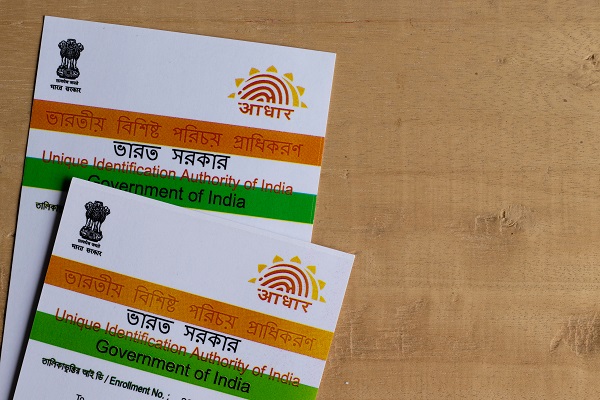
Step By Step Guide On How To Download An Aadhaar Card Online
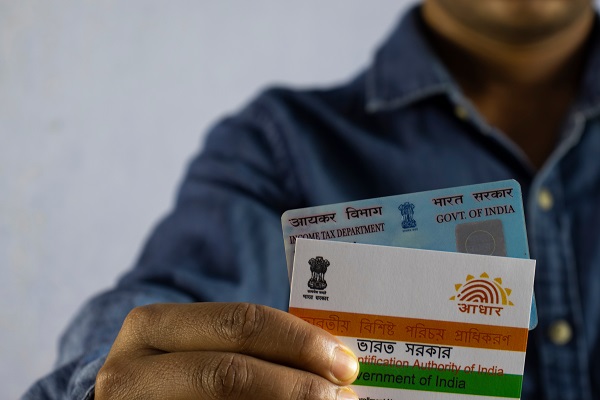
As per UIDAI’s data, 99% of the adult population of India possesses a digital identity. The emergence of several online platforms is helping the tech-savvy population to easily verify their identity and avail services within a few minutes. One of such advancements includes the introduction of e-Aadhaar.
To save time and expedite any verification process, go ahead and learn about various ways through which you can download an Aadhaar card online and print the e-copy.
Using Your Aadhaar Number
If your Aadhaar number has been issued already, you can follow the steps mentioned below to obtain a copy of your e-Aadhaar:
Step 1
Visit the online portal of UIDAI to begin the process.
Step 2
Under ‘My Aadhaar’ section on the home page, choose the ‘Download Aadhaar’ option.
Step 3
Now, enter the unique 12-digit Aadhaar number. You will find a checkbox over there, which you can select to mask/ cover your Aadhaar number in the e-Aadhaar.
Step 4
Enter CAPTCHA code to authenticate it, and click on ‘Send OTP’ after that. You will receive a one-time password on your registered mobile number. Note that you can also click on ‘Enter TOTP’ to get a temporary one-time password.
Step 5
Provide OTP or TOTP details to complete the procedure and download the PDF file of your e-Aadhaar.
Note that this PDF file will be password protected. You need to enter an 8-character password (combination of the first 4 letters of your name and birth year in YYYY format) to open it.
Using Your Enrolment ID
Those who still have not received the Aadhaar card and just have the Enrolment ID can follow these steps to download e-Aadhaar.
Step 1
First, you need to enter your 14-digit Enrolment ID on UIDAI’s portal.
Step 2
You will also find a calendar next to that option; select date and time from there.
Step 3
Next, select the checkbox if you need to mask or cover the Aadhaar number.
Step 4
Provide the CAPTCHA code and click on ‘Request OTP’ or ‘Enter a TOTP’ to get the password on your phone.
Step 5
Submit the OTP or TOTP details to download Aadhaar PDF.
Also Read – https://navi.com/blog/change-or-update-aadhaar-card-details/
Using Your Virtual ID
This is the latest addition to the official site of UIDAI for Aadhaar download. To make use of this feature and download your e-Aadhaar for free, follow the steps given below:
Step 1
Visit the UIDAI’s online portal, where you will find the ‘My Aadhaar’ section.
Step 2
Under that section, in the ‘Aadhaar Services’ tab, you will get to see ‘Virtual ID Generator’. Click on it and find another tab to enter your 12-digit Aadhaar number along with the CAPTCHA code.
Step 3
Next, provide OTP details once you receive them on your phone to generate the Virtual ID.
Step 4
Now, you need to go to the ‘Download Aadhaar’ page and select the ‘Virtual ID’ option under ‘My Aadhaar’.
Step 5
Provide necessary details and click on the checkbox to mask your Aadhaar number.
Step 6
Enter the one-time password sent to your registered mobile number.
Using Your Name and DOB
Earlier, UIDAI had an e-Aadhaar card downloaded by name and date of birth process for citizens, and the norms got changed later. However, your name and DOB still have a crucial role to play in obtaining the Enrolment Number or Virtual ID that is used for the same purpose.
Additionally, in case you ever lose your Aadhaar card, you can retrieve the lost Aadhaar card number or Enrolment Number online using these details. Here are the steps you can follow for that:
Step 1
Go to the Retrieve Lost or Forgotten EID/UID page on UIDAI’s online portal.
Step 2
Select either the ‘Enrolment ID (EID)’ or ‘Aadhaar No (UID)’ button as per your preference.
Step 3
Provide your full name and registered mobile number or Email ID.
Step 4
Submit the CAPTCHA code and select ‘Send OTP’.
Step 5
Provide the one-time password to receive your EID or UID.
Once you manage to acquire your EID or UID, you can use the same procedure mentioned in the section above to download an Aadhaar card.
Also Read – https://navi.com/blog/guide-to-apply-for-aadhar-card/
Via mAadhaar App
Another convenient way one can use to download his/her e-Aadhaar will be via mAadhaar app. Find the following steps to go about it:
Step 1
First, you need to download the mAadhaar application from Apple Store or Google Play Store and log into the app.
Step 2
Now, if your mobile number is already linked with your Aadhaar, you can easily download the PDF file using that.
You just need to provide the OTP, CAPTCHA code, Enrolment ID and date in DD/MM/YYYY format or Virtual ID, along with other necessary details to get there.
Via DigiLocker App
This is another e-Aadhaar card download app issued by UIDAI where users can link their Aadhaar card and download the electronic copies of their documents. Here are the steps to download e-Aadhaar via this app:
Step 1
After downloading the DigiLocker application from an app store, sign in to your account.
Step 2
Next, you will have to select a partner and the document you need to obtain. In this case, click ‘Aadhaar’.
Step 3
Now, enter your Aadhaar number as well as the OTP sent to your registered phone number.
Step 4
The downloaded Aadhaar copy can be found under the ‘Issued’ section of the app.
Note that the number you are using to open the DigiLocker account should be the same one your Aadhaar is linked with.
Via UMANG App
The Ministry of Electronics and Information Technology (MeitY) and the National e-Governance Division (NeGD) came up with UMANG app to assist cardholders in accessing e-Governance services. The application is linked with the digital service platform of DigiLocker.
Therefore, to download an Aadhaar card or the electronic copy of it, you need to register yourself and log into your account first. After that, the steps are pretty much similar to what you follow while using the DigiLocker app. Once you are done downloading the PDF copy, go ahead and print it by following the steps mentioned below:
Step 1
Open the e-copy using any PDF reader.
Step 2
Enter the password that consists of the first four letters of your name and your DOB.
Step 3
Now, select the number of copies you need and choose the ‘Print’ option.
Final Word
UIDAI has made this entire process extremely convenient for tech-savvy users as there are so many ways to download the soft copy of your Aadhaar card online. Pick any one of the different routes available to obtain your e-Aadhaar.
Frequently Asked Questions
How does an e-Aadhaar benefit us?
From availing subsidies to filing Income Tax Returns, your Aadhaar card works as a necessary document for verification purposes. Having an e-Aadhaar with your name is much convenient as you do not have to carry the physical copy every time you opt for any of these services.
Do I need to pay to ‘Order Aadhaar Reprint’?
You can visit UIDAI’s official website to ‘Order Aadhaar Reprint’ by using your Aadhaar number, Enrolment Number or Virtual ID. However, you have to bear a charge of Rs.50 (inclusive of GST and speed post charges) for that.
What does the “Order Aadhaar PVC Card” Service include?
In case an individual loses the Aadhaar card, he/she can raise a request for a PVC Aadhaar card online. However, for this service, one has to pay a nominal fee. Applicants who do not have their phone numbers registered with UIDAI can also opt for this.
Can I download the UMANG app from Google Play Store?
Yes, UMANG app is an initiative of the Government of India and is equipped with user-friendly features to assist individuals. Both Android users and iOS users can download the app from Google Play Store and Apple Store, respectively, to avail services of e-Governance.
Which software can I use to open my e-Aadhaar?
You can use any PDF reader such as Adobe Acrobat or Microsoft Edge to open your downloaded e-Aadhaar copy. Note that even to print it, you need to use such software and get it done.
Before you go…
- Looking for instant ? personal loans 24*7 anywhere, anytime? Install the Navi app now!
- Or, maybe you’re looking to buy that house you’ve been eyeing ? and
you need a loan of up to Rs.10 crore. Install the Navi app now and get instant in-principle approval right away! Interest rates starting at 6.95% p.a. - How about an affordable health insurance policy ?⚕️ starting at a monthly premium of just Rs. 241? Install the Navi app now and get your policy in under 2 minutes.
- Instead, want to put your savings into action and kick-start your investment journey ? But don’t have time to do research. Invest now with Navi Nifty 50 Index Fund, sit back, and earn from the top 50 companies.
Mutual Fund investments are subject to market risks, read all scheme-related documents carefully.
This article has been prepared on the basis of internal data, publicly available information and other sources believed to be reliable. The information contained in this article is for general purposes only and not a complete disclosure of every material fact. It should not be construed as investment advice to any party. The article does not warrant the completeness or accuracy of the information, and disclaims all liabilities, losses and damages arising out of the use of this information. Readers shall be fully liable/responsible for any decision taken on the basis of this article.